Understanding Google Business Profile Optimisation: A South African Guide
A Google Business Profile is not a ranking shortcut; it’s a public promise about what customers can expect from your business. Understanding google business profile optimization means looking beyond keywords to the accuracy and usefulness of the information people find when they search in South Africa. So, what should you improve to support local visibility and earn trust?
Profile details can influence discovery, but keeping them accurate and consistent takes care. It can also be difficult to tell whether an update is making a difference. This guide shows you how to build a complete, credible profile and understand how Google’s local ranking factors, including relevance, distance and prominence, relate to the results customers see.
We’ll cover the information to organise, how to keep your profile aligned with your website, and which interactions to monitor as you refine it. The aim is a more reliable customer experience, supported by thoughtful measurement, not promises of a particular ranking.
Key Takeaways
- Understanding google business profile optimization starts with presenting accurate, complete information that helps customers know what to expect.
- Learn how relevance, distance and prominence shape local results, and why clear categories and services matter.
- Follow a practical sequence for accessing, verifying and maintaining a profile that represents your business accurately.
- Make profile metrics more useful by distinguishing customer interactions from qualified enquiries and completed sales.
- See how consistent website information and regular measurement can connect your profile to a broader SEO strategy.
What Google Business Profile optimisation means for South African businesses
A well-managed Google Business Profile gives customers a clear, dependable picture of your business before they make contact. In practical terms, understanding google business profile optimization means keeping its information accurate, complete and useful, then reviewing it as your business changes. A profile may appear in Google Search and Google Maps, helping people discover your business and assess whether it suits their needs.
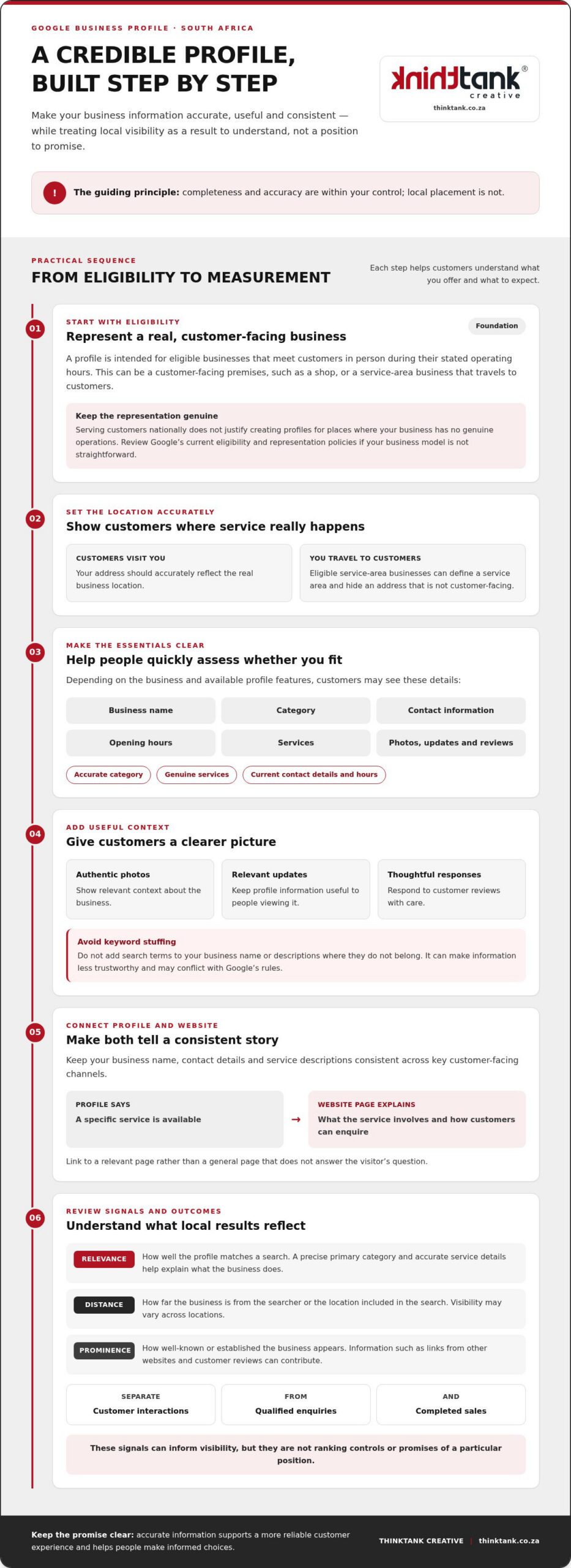
Completeness is within your control; placement isn’t. Google describes local results in terms of relevance, how well a profile matches a search; distance, how far the business is from the searcher or the location they specify; and prominence, how well-known or established the business appears to be. These are factors, not ranking controls or promises of a particular position. Accurate details help Google understand your business and help customers make informed choices. For wider context, Local search engine optimisation explains how local search differs from broader SEO.
What information does a Google Business Profile show?
Depending on the business and the profile’s available features, customers may see its name, category, contact information, opening hours, services, photos, updates and customer reviews. These details help people answer practical questions: Does this business offer what I need? How can I reach it? What might the experience be like?
Keep the information grounded in reality. Choose the most accurate category, describe genuine services clearly, and use current contact details and hours. Authentic photos, relevant updates and thoughtful review responses can add useful context. Don’t insert extra search terms into your business name or descriptions where they don’t belong. Keyword stuffing makes information less trustworthy and may conflict with Google’s rules.
Who can use a profile in South Africa?
A profile is intended for eligible businesses that meet customers in person during their stated operating hours. That can include a customer-facing premises, such as a shop, or a service-area business that travels to customers. If customers visit your location, your address should accurately reflect the real business location. If you serve customers at their locations instead, Google’s guidance allows eligible businesses to define a service area and hide an address that isn’t customer-facing.
Serving customers nationally doesn’t justify creating profiles for places where your business has no genuine operations. Before setting up or changing a profile, review Google’s current eligibility and representation policies, especially if your business model doesn’t fit a straightforward shop or service-area setup. Accurate representation protects customer trust and gives your profile a sound foundation for the optimisation steps that follow.
How Google Business Profile signals connect to local search visibility
Local visibility is shaped by how well a business fits a search, where it is in relation to the searcher and how established it appears. These signals work together, but they aren’t levers a business can set to guarantee a particular position. Understanding google business profile optimization means improving the accuracy and usefulness of the information available, while recognising that Google determines which results to show.
Relevance, distance and prominence explained simply
Google describes local results through three concepts. Relevance is how closely a profile matches what someone searches for. A precise primary category and accurate service details help explain what the business does to both Google and potential customers. Choose categories that genuinely fit, and describe services clearly rather than adding unrelated terms in an attempt to appear for more searches.
Distance refers to how far a business is from the searcher or the location included in the search. A business can’t control where a person is searching from, so its visibility may vary across locations. Prominence reflects how well-known a business is. Google indicates that information such as links from other websites and customer reviews can contribute to prominence. These signals may support visibility, but they don’t guarantee a ranking or replace accurate business information.
Why the website and profile should tell a consistent story
Your profile and website should reinforce one another. Keep the business name, contact details and service descriptions consistent across key customer-facing channels. If your profile describes a particular service, link to a relevant website page that explains it clearly, rather than sending visitors to a general page that doesn’t answer their question. That continuity helps customers take the next step with confidence and gives search engines clearer context.
For example, if a profile lists a specific service, the linked page should explain what it involves and how customers can enquire. A well-structured website also gives you space to provide detail that may not fit in the profile. For a broader view of how these elements work together, explore this South African SEO strategic guide.
Use these signals as a framework for steady improvement, not a formula for forcing a result. Reviewing your profile alongside your website can reveal whether a visibility challenge stems from unclear business information, an unhelpful landing page or wider SEO needs. ThinkTank Creative brings search strategy and website experience into the same conversation through its SEO and website design and development services. Find out more about ThinkTank Creative’s SEO work.
How to optimise a Google Business Profile step by step
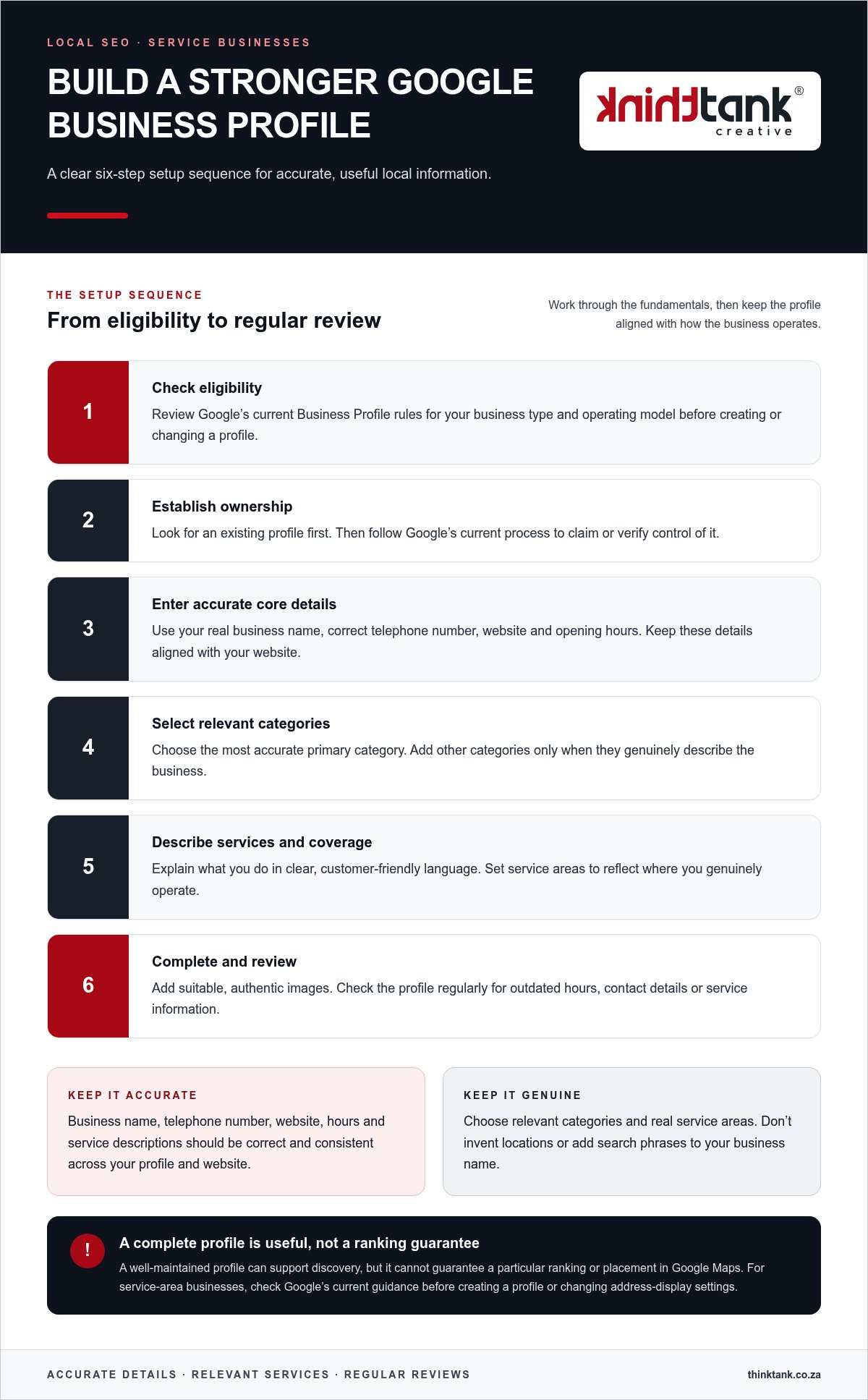
Work through the profile in a deliberate order. Start with eligibility and ownership, then strengthen the details customers rely on before setting a routine for updates and review. Profile management is generally available through Google Search and Maps, though the options shown can vary.
- Check eligibility and find the right profile. Confirm that the business meets Google’s current eligibility rules and is represented accurately. Search for an existing listing before creating one to avoid duplicates. A profile should reflect a genuine business operation, not a location chosen solely to reach more searchers.
- Claim or access the profile. Use the account authorised to manage the business. If ownership needs to be established, follow the verification method Google presents for that profile. Requirements can differ, so use the current instructions rather than relying on an old checklist. Keep access details secure and ensure the appropriate people retain management access.
- Complete the core information. Check the business name, contact details, opening hours and website destination against the information customers will encounter elsewhere. Add any relevant hours or service details the profile supports, and update them when circumstances change.
- Choose accurate categories and services. Select the closest-fitting primary category, adding other categories only when they genuinely describe the business. Describe actual services in straightforward customer language. Don’t add unrelated search phrases to the business name, category or description.
- Make the profile useful to customers. Write a clear description that explains what the business does, and add authentic, current photos that represent its premises, team, work or customer experience. Share updates only when they offer useful information, such as a meaningful change or timely announcement. Use the update formats available in the profile at the time.
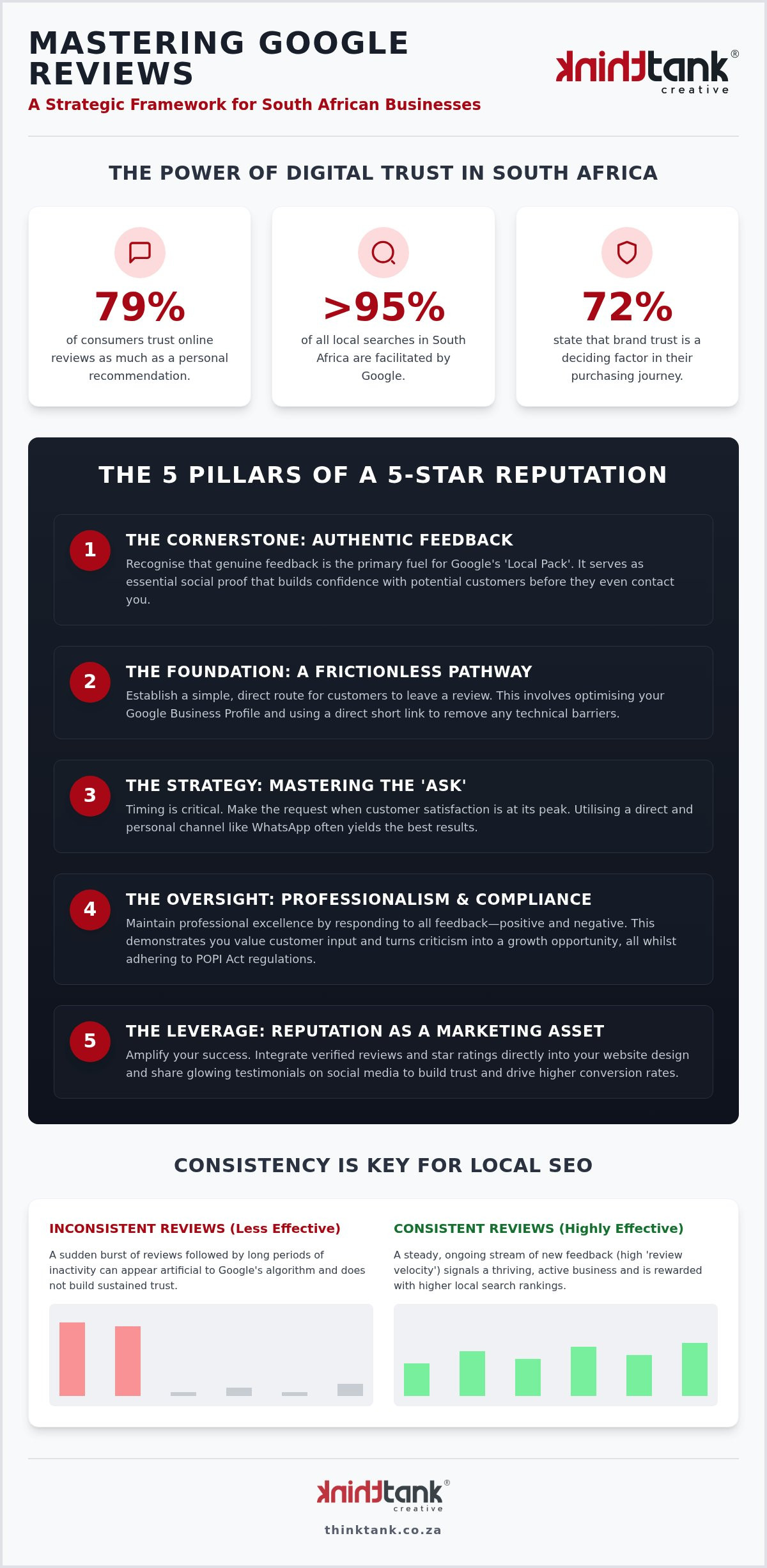
- Review and maintain it. Check that the profile displays correctly on both mobile and desktop. Read customer reviews, respond professionally and invite honest feedback without offering incentives or asking only for positive reviews. Revisit key details whenever the business changes.
Choose accurate categories and complete essential details
Precision matters more than trying to appear in every possible search. A suitable category and clear service descriptions set realistic expectations, whilst current contact details, hours and a relevant website page help customers take the next step. Make each field work together: the profile should describe the same business customers find when they call or visit the website.
Build trust with photos, reviews and useful updates
Keep visual content genuine and feedback responses measured. A considered reply can acknowledge a concern or thank a reviewer without exposing private customer details. Before publishing an update, ask whether it helps someone make a decision or understand what has changed. That simple test keeps the profile informative rather than repetitive.
How to measure and maintain Google Business Profile performance
Measure what people do after finding your profile, then compare those interactions with what happens in your business. Understanding google business profile optimization includes recognising that a click, call or direction request is a useful signal, not proof of a qualified enquiry or sale.
Which profile metrics should businesses review?
Open the profile’s performance reporting in Google Search or Maps and use the labels currently shown there. Available metrics and wording may vary. Review the trends alongside website analytics and lead records, where tracking is appropriately configured, to understand whether profile activity is contributing to meaningful customer interest.
| Metric or record | What it indicates | Follow-up question |
|---|---|---|
| Profile views or searches | How often the profile is seen or surfaced in search, according to the reporting available. | Did visibility change after an update, or could other factors be involved? |
| Calls | A customer initiated a call using the profile. | Were the calls relevant, and did they lead to a suitable enquiry? |
| Website clicks | A visitor followed the profile link to the website. | Did the landing page answer the visitor’s need or prompt an enquiry? |
| Direction requests | Someone requested directions to the business. | Did the request relate to a visit, and is the location information clear? |
| Enquiries and sales records | Leads or completed transactions recorded by the business. | Can these outcomes be connected reliably to profile activity? |
Compare like with like, such as the same length of time before and after an update. Keep a simple change log noting when you adjusted opening hours, categories, services or campaigns. If visibility shifts, avoid assuming one edit caused it: demand, seasonality, competitor activity and other changes in search can also affect results.
Create a practical profile maintenance routine
Update opening hours, contact details, services and website links whenever the underlying business information changes. Set a recurring review to check customer feedback, questions, photos and outdated details. Use the review to note what needs attention, then track relevant profile interactions and business outcomes over the next comparable reporting period.
Profile performance also sits within a wider visibility strategy. Reviews and links can contribute to prominence, so explore these local link-building strategies as a complementary authority-building topic. ThinkTank Creative’s SEO and reporting services can support a joined-up approach to profile measurement and search performance. Learn more about SEO and reporting.
Make Google Business Profile part of a coherent SEO strategy
A profile works best as one part of a connected customer journey. Start with an accurate representation of the business, provide useful information, make sure the website supports the profile’s claims, then measure interactions and refine the details. This is the practical value of understanding google business profile optimization: each element should help customers move from discovery to an informed next step.
Some issues are operational. Incorrect opening hours, an outdated telephone number or an inaccurate service description can usually be addressed by updating the relevant profile information. Other signals point to broader work. If profile visitors reach a page that doesn’t explain the service, works poorly on mobile or makes it difficult to enquire, the gap may lie in the website experience. If accurate profile and website information still aren’t connecting with the right searches, review wider SEO strategy, site content and how customers search for your services.
Connect profile improvements with a useful business website
Make the website destination relevant to the information on the profile. A visitor interested in a particular service should land on a page that explains it clearly and offers a sensible next step, such as making an enquiry. Check the page on mobile as well as desktop: the content should be easy to read, navigation straightforward and contact options accessible. For a deeper look at aligning a site with business and audience needs, read this custom website design strategic guide.
Plan the next steps with a collaborative marketing partner
Before making changes, identify who you want to reach, what information customers need and which action you want them to take. Then look for gaps between the profile, website and actual customer experience. This keeps improvements focused on real needs rather than profile activity for its own sake.
ThinkTank Creative brings research and strategy together with SEO, website design and development, content, reporting and ongoing support. These connected capabilities can help businesses assess whether a challenge sits in profile information, the website journey or a broader digital marketing plan. The goal is a considered strategy shaped around your business, not a promise of rankings or a fixed result.
Discuss your digital marketing goals with ThinkTank Creative and explore how profile improvements can fit into a coherent approach to search and customer experience.
Build a stronger foundation for local discovery
A dependable Google Business Profile starts with an accurate picture of your business, supported by useful customer information and a website that delivers on what the profile promises. Understanding google business profile optimization also means treating visibility as ongoing work: review profile interactions, compare them with meaningful enquiries and refine details as your business evolves.
Keep the essentials in view: represent your business truthfully, make profile and website information consistent, and use performance data to guide sensible improvements. These steps can strengthen the customer journey, though they can’t guarantee a particular position in local results.
ThinkTank Creative, founded in 2001, brings SEO, website design and development, content creation, reporting and ongoing support together in collaborative digital work. If you’re ready to connect profile improvements with your wider marketing priorities, explore how ThinkTank Creative can support your digital marketing goals.
With a clear strategy and steady attention, your online presence can grow in step with your business and give customers more confidence to take the next step.
Frequently Asked Questions
What is Google Business Profile optimisation?
Google Business Profile optimisation means keeping your profile accurate, complete and useful to people searching on Google. It includes maintaining core business details, selecting relevant categories, describing services clearly, and adding genuine photos, useful updates and thoughtful review responses. This ongoing care can support discovery and help customers feel confident about contacting you, but it can’t guarantee a particular ranking. Understanding google business profile optimization means treating profile upkeep as continuing work, not a one-off setup.
Is Google Business Profile free to use?
Yes. Google provides its Business Profile platform without charging businesses to create or manage a profile, subject to Google’s current terms and eligibility rules. That’s separate from optional costs a business may choose to incur, such as photography, website work or professional marketing support. These are independent services, not fees for access to the profile itself. Review Google’s current policies before setting up or managing a profile, as platform rules may change.
How long does it take to optimise a Google Business Profile?
The time required depends on profile access, the accuracy of existing information and the work needed. Updating basic details may be relatively straightforward, whilst resolving ownership, verification or policy issues can take longer. There’s no guaranteed timetable for changes in local visibility, even after profile improvements. Treat optimisation as an ongoing process: check that details remain accurate, monitor available performance data and make further updates when business information or customer needs change.
Can a Google Business Profile improve local search rankings?
A complete, accurate profile can help Google understand a business and help customers assess whether it meets their needs. Google describes local results in terms of relevance, distance and prominence: how well the business matches the search, its proximity to the searcher, and how well-known it appears. Businesses can improve truthful profile information and relevant website content, but they can’t control every factor or guarantee a particular position. Avoid ranking shortcuts that compromise accuracy.
What should a business include in its Google Business Profile?
Include your accurate business name, the most appropriate categories, current contact details, opening hours, service information and a useful website link. Genuine photos can help customers understand what to expect, whilst thoughtful responses to reviews show that feedback is taken seriously. Follow Google’s representation rules throughout. In particular, don’t add keywords to the business name unless they’re genuinely part of the name used in the real world.
How often should I update my Google Business Profile?
Update your profile whenever business details change, especially opening hours, contact information, services or the website link. It’s also sensible to review customer feedback, photos and other information regularly so outdated details don’t linger. Google doesn’t require one universal review schedule for every business. Choose a routine that helps you keep information accurate and respond to customers appropriately, then revisit it when your business or the profile’s available features change.
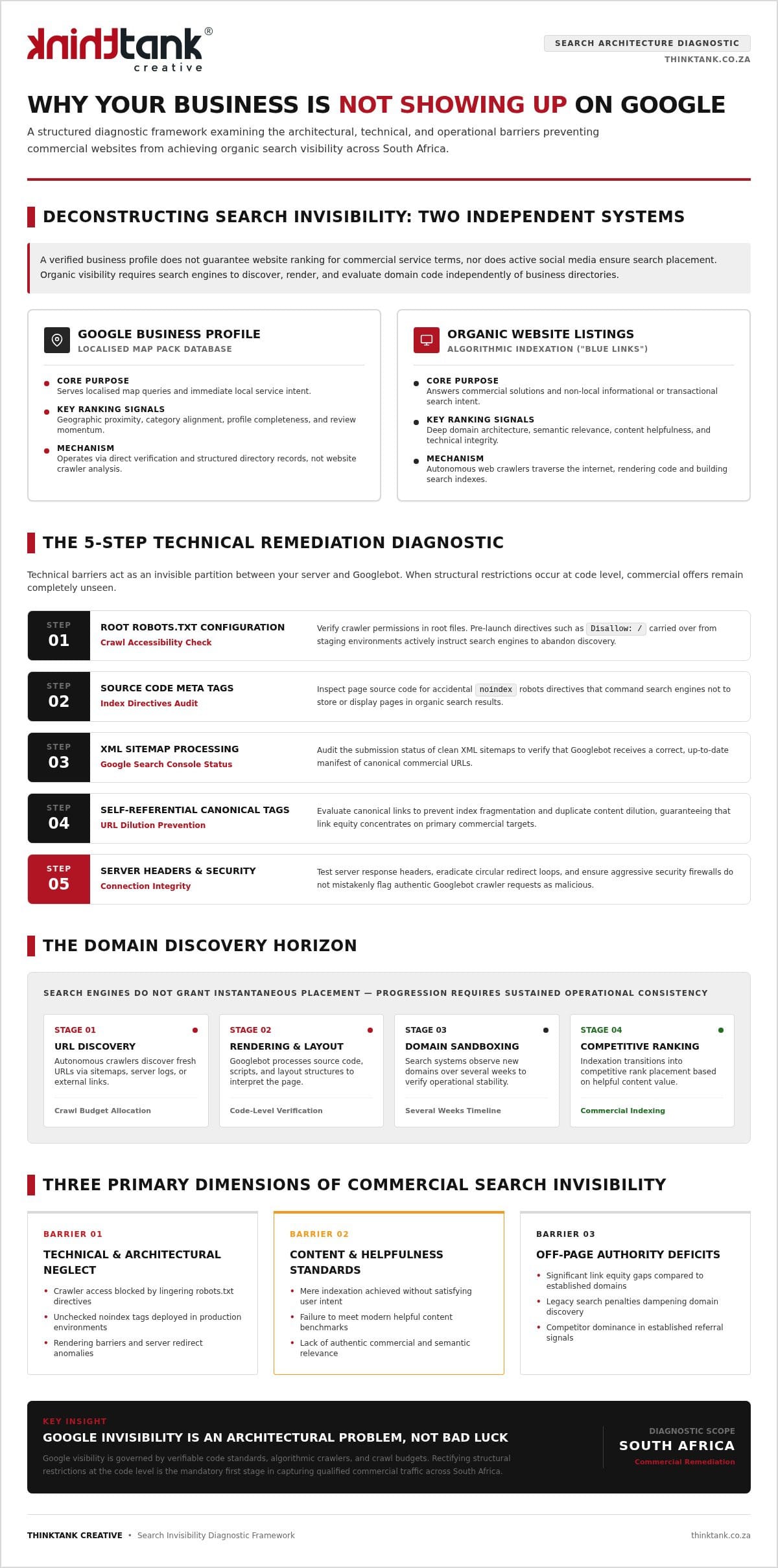
Why is my business not appearing on Google Maps?
Possible reasons include eligibility or verification issues, incomplete or inaccurate information, the searcher’s location and competition from other businesses. First, check the profile’s status and Google’s current policies. Then review whether your categories, services and website details accurately describe the business. A profile’s visibility can vary by search and location, so not appearing in one search doesn’t necessarily mean it’s absent everywhere. Careful checks can identify issues, but there’s no instant fix or guaranteed position.