Website SEO Performance Checks for Your Business Site
Rankings are only one part of SEO performance. Assess them alongside technical health, mobile usability, image optimisation, internal links and backlinks. Knowing how to check your website’s SEO performance means reviewing these signals together and repeating the audit after changes.
It’s natural to look straight at Google and ask whether your pages appear for the searches that matter. You can check rankings in Google, but treat them as one measure: visibility alone won’t tell you whether search engines can access your pages or visitors can use them easily.
This guide explains how to review keyword rankings, identify technical issues and assess mobile pages, images, internal links and backlinks. You’ll also learn how to prioritise fixes and decide when to run another audit, turning your findings into a practical improvement plan.
Key Takeaways
- Assess mobile usability and page speed together, then prioritise image compression, streamlined code and caching where they can improve loading.
- Review image alt text for clear, relevant descriptions, and check that images support the page rather than distract from its purpose.
- Evaluate backlinks for relevance and quality, and consider how external signals support your site’s credibility and visibility.
- Check for blocked pages, noindex tags and orphan pages, then prioritise fixes by their impact on search access and user experience.
- Strengthen internal links so important pages are easier to discover, and repeat an audit after a round of changes to track progress and identify remaining issues.
Mobile optimization and image alt attributes
Assess mobile experience alongside search visibility, not as a separate design concern. Open key landing pages on a phone and test navigation, forms, headings and images. Check whether the main action, such as requesting a quote, is easy to find and complete. A page may attract clicks but still frustrate visitors if its mobile layout hides essential information.
Compare competitor performance by reviewing the search queries and pages where their domains appear alongside yours. Look for differences in topic coverage, usefulness and mobile presentation, then compare your visibility for the same search intent. Treat these findings as context, not proof that a competitor’s approach will suit your audience.
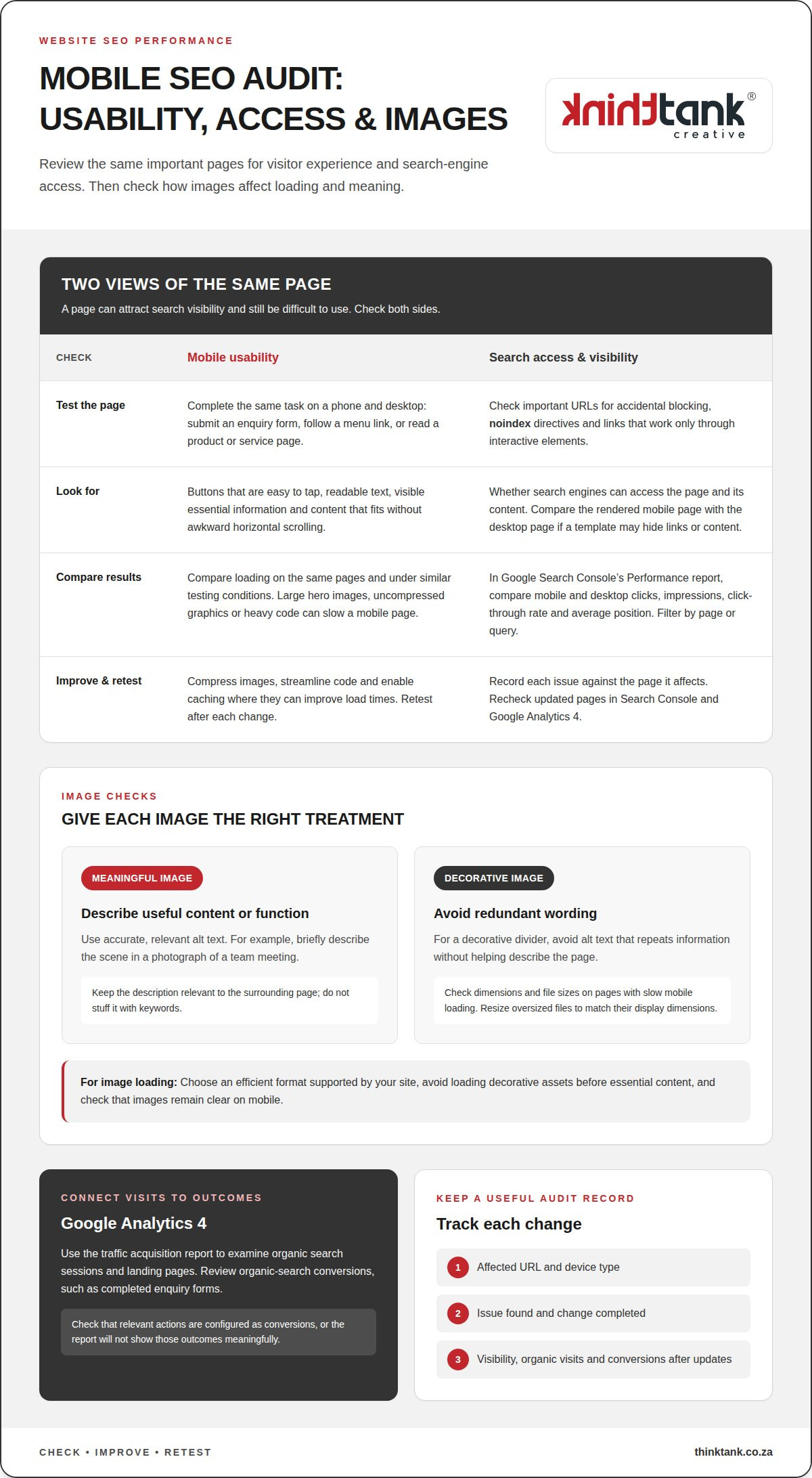
In Google Search Console, open the Performance report and review clicks, impressions, click-through rate and average position. Compare mobile and desktop results, then filter by page or query to see where visibility differs. A page with impressions but few clicks may need a clearer title or description; a page losing clicks merits closer review.
In Google Analytics 4, use the traffic acquisition report to examine organic search sessions and landing pages. Review the conversions assigned to organic search, such as completed enquiry forms, to connect visits with business outcomes. Check that the relevant actions are configured as conversions, or the report won’t show those outcomes meaningfully.
Test mobile usability by completing the same task on a phone and desktop. For example, submit an enquiry form, follow a menu link and read a product or service page. Note whether buttons are easy to tap, text is readable and content fits the screen without awkward horizontal scrolling. Record each issue against the page it affects.
Compare mobile and desktop loading on the same pages and under similar testing conditions. A large hero image, uncompressed graphics or heavy code can slow a mobile page. Compressing images, streamlining code and enabling caching are practical ways to improve load times. Retest after each change to see whether the experience improves.
Check that mobile pages are crawlable as well as usable. Review important URLs for accidental blocking, noindex directives and links that work only through interactive elements. Search engines need access to a page and its content to understand it. If a mobile template hides links or content, compare its rendered version with the desktop page.
Write alt text to describe an image’s useful content or function. For a photograph of a team meeting, briefly describe the scene; for a decorative divider, avoid redundant wording. Keep descriptions accurate and relevant to the surrounding page. Don’t stuff keywords into alt text, as this makes it less helpful.
Check image dimensions and file sizes on pages with slow mobile loading. Resize oversized files to match their display dimensions, choose an efficient format supported by your site, and avoid loading decorative assets before essential content. Then check that images remain clear on mobile and meaningful images retain descriptive alt text.
Keep a simple record of affected URLs, device type, issue and completed change. Recheck those pages in Google Search Console and Google Analytics 4 after updates. This links technical improvements with visibility, organic visits and conversions, helping you decide which mobile fixes deserve attention next.
Backlink profiles and external signals
Review backlinks as part of your wider off-page SEO picture. Their value depends on relevance and context, not simply how many links point to your domain.
For rankings, backlinks and site audits, compare platforms such as Semrush, Ahrefs and Moz by their features and reporting. Their paid plans have different subscription tiers; costs depend on factors such as tracked queries, backlink data, crawl limits and user access. Compare current plans with your requirements.
Backlink Profile Monitoring
Choose a consistent monitoring process and record which websites link to your pages, which pages receive links and whether links are gained or lost. Review each linking site’s relevance, the surrounding text and the destination page. For example, a link from a South African industry association may be more contextually useful than an unrelated directory listing, even if the directory has more pages.
Look for patterns rather than reacting to every change. A new link to a useful guide may suggest that people find it worth citing; several links from unrelated sites with repetitive wording deserve closer review. Keep dated records so you can relate changes in your backlink profile to shifts in organic visibility and relevant Google queries.
External Signal Assessment
Assess off-page signals by asking whether other websites, publications or organisations refer to your business in relevant contexts. Backlinks are one signal, but mentions and citations can also help you understand how your brand appears beyond your own domain. Record the source, linked page and context, then look for recurring themes.
Compare your profile with competitors appearing for similar queries. Note which pages attract references and what they offer, such as original research, practical guidance or a useful local resource. Use this analysis to identify content gaps, not to copy another site’s link strategy or pursue links without considering relevance.
Separate useful findings from unverified assumptions. A rise in backlinks alongside stronger organic visibility is worth investigating, but it doesn’t prove that one caused the other. Check the affected pages, query performance and timing together. If a page gains links but attracts few relevant visits, improve its usefulness and internal pathways before treating link volume as success.
Keep a monitoring log with the source, target page, link status and a brief relevance assessment. Review new and lost links periodically, and investigate sudden changes by checking the referring pages directly. This helps distinguish a meaningful editorial reference from a low-value listing or a link to an outdated page.
Use the findings to shape a credible presence beyond your site. Useful, well-structured content gives others a clearer reason to cite your expertise. If that content needs a stronger search strategy, consider SEO support for your website as part of your next optimisation step.
How Often Should I Run an SEO Audit on My Website?
Set an audit rhythm around meaningful changes rather than an arbitrary calendar. Review content after publication, redesigns or SEO fixes, then record what changed and what still needs attention.
For South African websites, useful benchmarks include your own previous performance and competitors targeting the same audience, locations and queries. Compare organic clicks, qualified enquiries and page visibility over consistent periods, rather than treating one ranking as a universal standard.
Review important pages after substantial content or site changes. A new service page, revised navigation or migrated domain can affect discovery and search visibility. Re-run relevant checks after implementing fixes: the results can show progress and reveal remaining issues. Between audits, monitor traffic, enquiries and pages that stop attracting visits.
Assess content quality by checking whether each page meets a distinct reader need. For example, a South African accountant’s tax guide should explain its topic clearly and point readers towards a relevant next step. Check accuracy, usefulness, readability and whether the page reflects the service or product it describes.
Look for duplicate content where similar pages cover the same location or offer. Compare titles, headings and main copy across those URLs. If two pages explain the same service, decide whether to consolidate them or give each a distinct purpose for a different audience need. Make the preferred page clear in your navigation and internal links.
Structure content so people and search engines can understand its hierarchy. Use one clear page title, descriptive subheadings and sections that progress logically. A page about home insulation, for example, could cover material choices, installation considerations and maintenance in separate sections. Include the relevant keyword naturally, but prioritise a complete answer over repetition or an arbitrary keyword density target.
Review meta tags and headings alongside visible content. A page title should describe the subject, while its meta description should accurately summarise what visitors will find. Check that headings are specific, not duplicated across unrelated pages, and match the page’s promise. If a title promises pricing guidance, the content should address pricing factors.
Use a repeatable review record for each important URL:
- Note the page’s purpose and intended audience.
- Check accuracy, usefulness and overlap with other pages.
- Review the title, meta description and heading structure.
- Record changes, then revisit performance after updates.
This approach makes audit timing responsive to your site’s needs. A stable page may need a different review trigger from a newly revised landing page. Prioritise changes that affect accuracy, search access or the visitor’s next step.
Technical SEO audits and prioritised fixes
A technical audit turns crawl, indexing and link findings into practical recommendations. First, focus on SEO issues that prevent important pages from appearing or working properly.
Audit Tools and Measurements
Free tools reveal different aspects of site health. Google Search Console reports indexing, search queries and page performance. PageSpeed Insights analyses loading and user-experience signals for individual URLs. A crawler can identify broken links, redirects and missing page elements. Use more than one tool because each checks different issues.
Knowing how to check your website’s SEO performance starts with matching measurements to your role. A business owner can review priority pages and organic visibility; a developer can inspect crawl errors and redirects. No single audit score explains performance. Check affected URLs and reproduce important findings before assigning work.
Prioritised Audit Recommendations
Rank recommendations by likely effect, reach and effort. A blocked service page deserves attention before a minor heading inconsistency because search engines may not access its content. A broken internal link to an important landing page also warrants prompt repair. Record each affected URL, its business purpose and the proposed action.
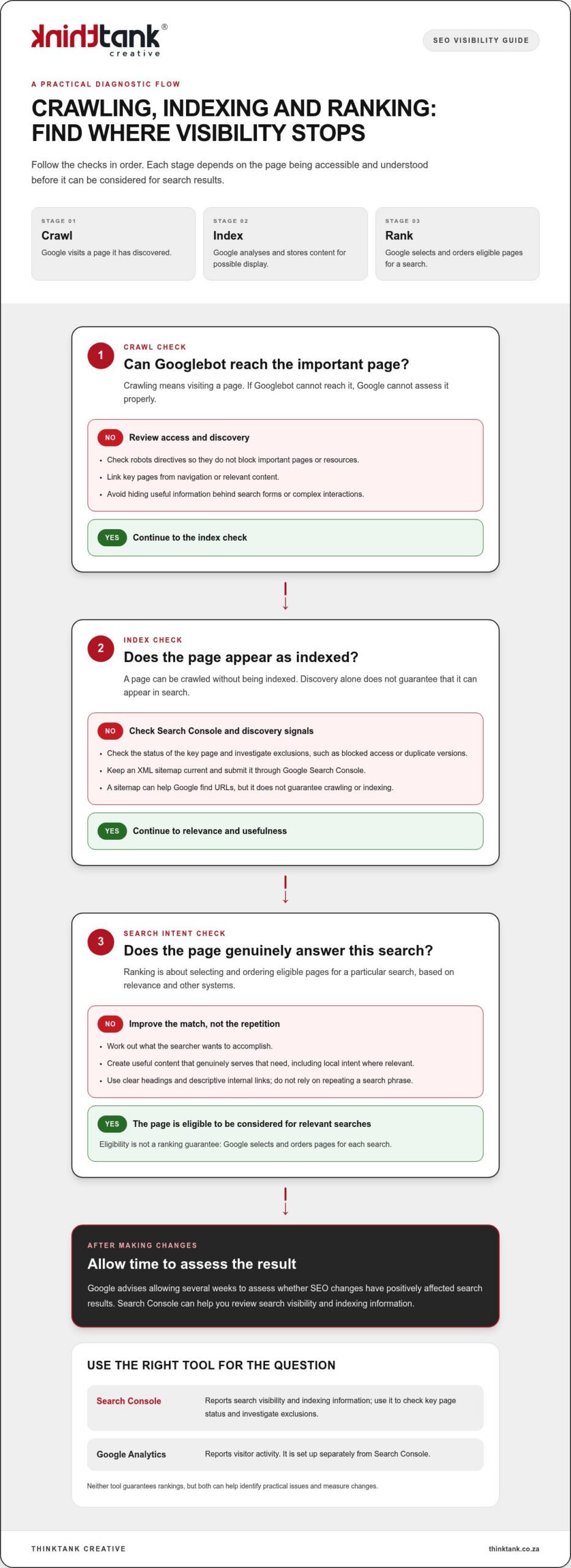
Separate urgent access problems from improvements that need more analysis. Check robots.txt blocks, noindex tags and orphan pages, since each can prevent search engines from seeing content. Then consider how many valuable pages an issue affects. Don’t treat every warning from an automated scan as equally important.
Fixes Guided by Audit Reports
Make the report actionable by assigning technical issues to developers and content issues to content teams. For example, a developer can investigate redirect chains while an editor revises a duplicate page title. Include the URL, evidence, priority and proposed fix so each owner understands the task without interpreting a vague alert.
Track recommendations as open, in progress or resolved. After a round of SEO fixes, rerun the audit to measure progress and identify remaining issues. Compare the same URLs and checks; otherwise, changes in crawl scope can make results misleading. Confirm that each fix works on the live page.
Step-by-Step Performance Checks
To understand how to check your website’s SEO performance, follow a consistent sequence: review search visibility, inspect indexing, crawl key URLs, test important links, then group findings by impact. This gives business owners, content teams and developers a shared view of the work. Include pages targeting relevant local searches.
Common reporting mistakes include comparing different date ranges, mixing branded and non-branded queries, or treating a tool score as a ranking. Device, location and crawl scope can also change results. Keep these conditions consistent and note major site changes before drawing conclusions.
Internal linking and image optimization
Internal links and images shape how people and search engines move through your site. Audit them together: useful links guide visitors to relevant pages, while well-prepared images add context without obstructing the experience.
Build clear routes between important pages
Start with your main navigation and identify priority pages, such as a service page, location page or enquiry form. Check whether relevant supporting pages link to them. A guide to office security, for example, could link naturally to a business security service page. This creates a useful route for visitors and helps search engines discover related content.
Review links in the main body, not just menus or footers. Use descriptive anchor text that explains the destination, such as “commercial security services” rather than “click here”. Keep the wording accurate and varied. Repeating the same keyword-heavy phrase across unrelated links can make navigation feel forced.
Look for important pages with no internal links pointing to them. A page can be live yet difficult to find if it sits outside normal navigation paths. Also test existing links for errors, redirects and unexpected destinations. A link to an old campaign page, for instance, may take visitors away from current information.
Use images to support page meaning
Review image files on key pages and ask what each contributes. A product photograph should show the item clearly; a chart should make its subject understandable. Give descriptive images accurate alt text, and leave decorative images without redundant descriptions where the site allows. This keeps assistive descriptions useful rather than repetitive.
Compare each image’s file dimensions with its display size. A very large original used in a small card adds unnecessary page weight. Choose an efficient image format supported by your website, and ensure responsive layouts serve suitable versions across screen sizes. Then inspect the result on a phone and desktop for clarity and layout shifts.
Use meaningful filenames before uploading, such as “cape-town-office-interior” instead of “IMG_4821”. Keep filenames concise and relevant to the image. Avoid treating filenames or alt attributes as places to repeat keywords; describe what is actually shown. Review the surrounding paragraph too, so the image and nearby copy provide consistent context.
Turn findings into a practical review
For each priority URL, record its incoming internal links, broken destinations, image purpose and missing or inaccurate descriptions. Fix links that obstruct a visitor’s next step first, then address images that obscure content or slow key pages. Revisit the same URLs after updates and check that navigation remains clear.
If your site needs a more cohesive approach to search visibility, get support with SEO optimisation and build a stronger connection between its pages, content and images.
ThinkTank Creative: Website Design and Development
ThinkTank Creative can turn audit findings into a clearer, more effective business website. If technical issues, confusing navigation or outdated pages make it difficult for visitors to take the next step, the agency’s website design and development services can align structure and usability with your business goals.
Bring your audit findings into the planning process. They can inform how pages are organised, how visitors move between them and where design can support clearer communication. Creative design can also help present your brand consistently across the site.
If you’re ready to turn your findings into a practical next step, contact ThinkTank Creative or visit thinktank.co.za.
Build your next phase of online growth
Let your next SEO review shape more than a list of corrections. Use what you learn to guide a clearer digital direction, with priorities connected to how people discover and engage with your business. A repeatable approach to checking your website’s SEO performance can help you make informed decisions as your website and marketing evolve.
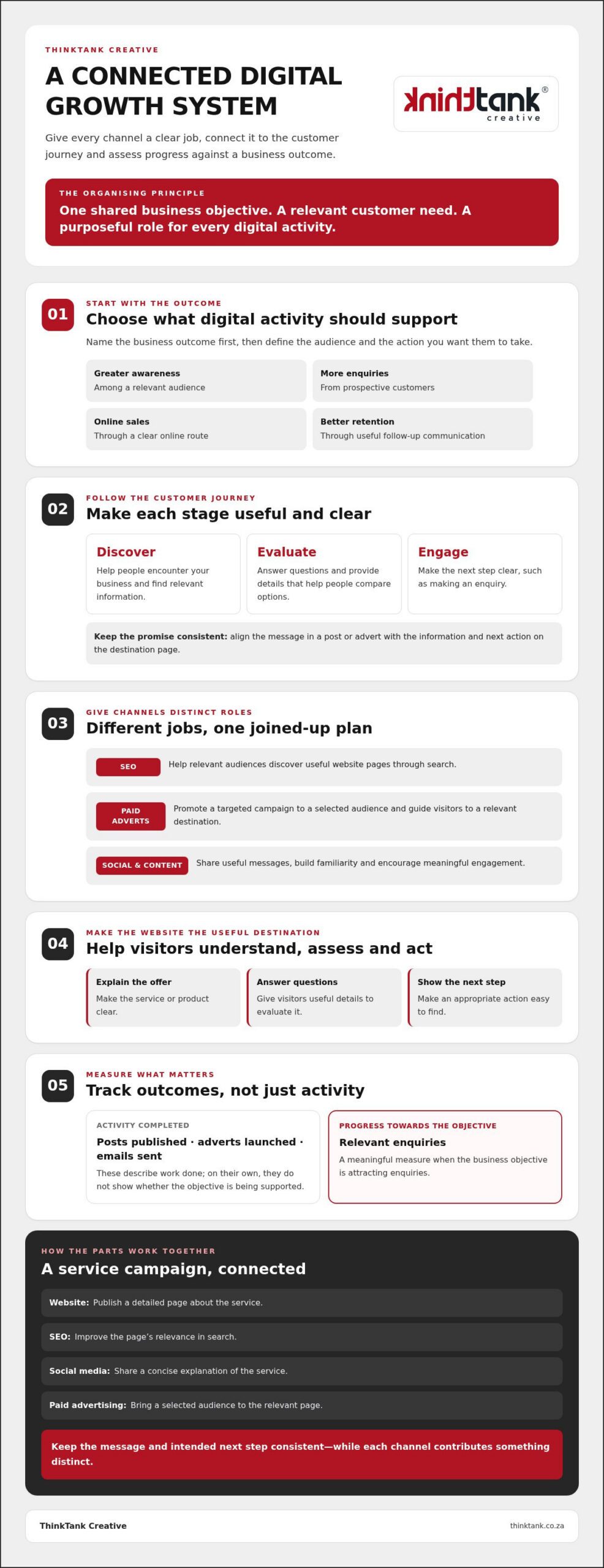
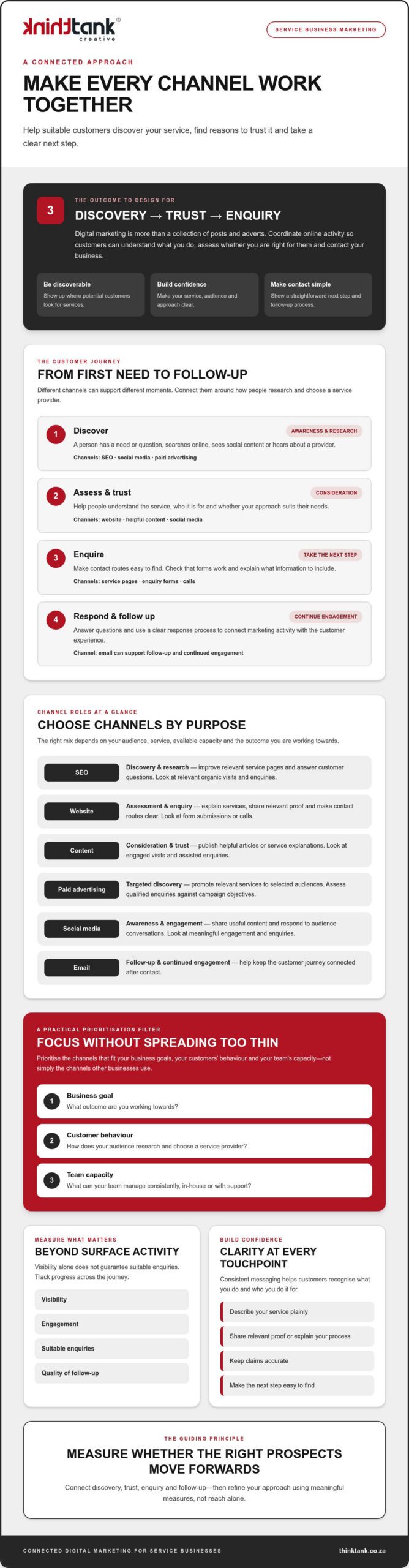
ThinkTank Creative can support that next step through SEO, website design and development, social media marketing and creative design. These disciplines can work together to strengthen your business’s online presence, from website structure to consistent branding.
Bring your goals and audit findings into a focused conversation about what to improve next. Contact ThinkTank Creative for SEO support and take a considered step towards a stronger digital presence.
Frequently Asked Questions
Can I check keyword rankings on Google too?
Yes. Search Google for a target phrase, but treat the result as a snapshot, not a definitive ranking: location, device and search context can affect what appears. For a more consistent view, use Google Search Console to compare query and page performance over the same date range. For example, assess a service page’s mobile visibility separately from its desktop results.
What is an SEO score?
An SEO score is a tool’s summary of selected website checks, not a universal Google ranking or a complete measure of success. Different tools may assess different elements, such as crawlability, page titles or loading performance. Use the score to identify areas for investigation, then inspect the affected pages. A lower score on a low-priority page may matter less than an indexing problem on a key landing page.
Why Check Your Website’s SEO?
Check SEO to understand whether people can find useful pages and take meaningful actions on your site. For example, a South African business might receive search visits to a service page but few completed enquiry forms. Comparing the page’s search visibility with form activity helps reveal where to investigate, such as whether the page meets searchers’ needs or makes the next step clear.
Which SEO metrics should you track, including organic traffic, rankings, clicks and conversions?
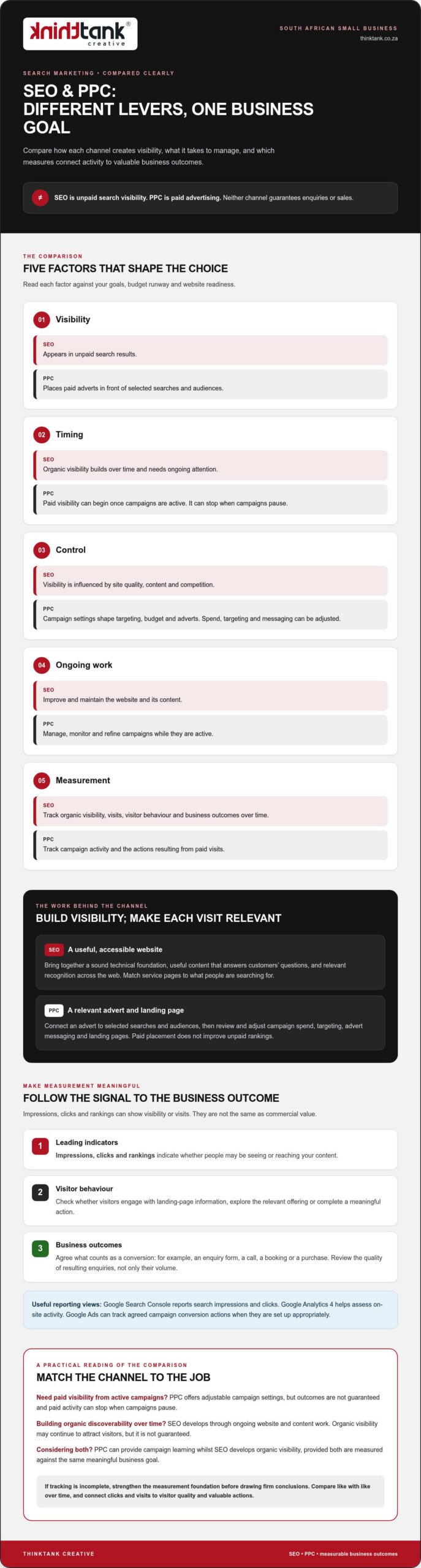
Track organic clicks, impressions, query positions, relevant landing-page visits and completed conversions together. Each metric answers a different question: clicks indicate visits from search, while conversions show whether visitors took an intended action. For instance, a rise in clicks without more qualified enquiries may call for a closer look at the search terms and pages bringing people to your site.
How do you check website speed, Core Web Vitals and mobile usability?
Test representative pages with PageSpeed Insights, then review its loading and user-experience findings alongside a hands-on mobile check. Core Web Vitals include Largest Contentful Paint, Interaction to Next Paint and Cumulative Layout Shift. On a phone, open a key page, use its menu and complete its main task. Note the URL and specific difficulty so you can retest that page after changes.
How do you check indexing, crawl errors, sitemap status and robots.txt?
Use Google Search Console’s indexing reports and URL inspection to investigate whether important pages are indexed. Review sitemap status for submission or processing issues, then inspect robots.txt for rules affecting key URLs. A crawl report can help uncover broken destinations and inaccessible pages. For example, check a newly launched service page directly before assuming that a sitemap entry means search engines can index it.
How often should you review SEO performance, and how should you report progress?
Review performance on a consistent schedule and after significant website changes, such as a redesign or migration. A useful report records the date range, pages reviewed, changes made and outcomes against business goals. Separate completed work from outstanding actions, and name the responsible role for each. This gives a business owner a clear view of progress without mistaking a short-term ranking movement for lasting improvement.
Which paid SEO tools compare best for tracking rankings, backlinks and site audits, and what do they cost?
Compare Semrush, Ahrefs and Moz by their ranking, backlink and audit features and reporting. Their paid plans have different tiers, with costs depending on tracked queries, backlink data, crawl limits and user access.